Rejection of HU from production can be full pallet quantity or partial pallet quantity
- If partial, reject it via workcentre (configuration needed)
- If full pallet, reject it via SAP Monitor (SAP S/4HANA 2023)
Furthermore, this rejection can be done before putaway and after putaway of the HU(s).
Partial rejection of stock with in a HU via workcentre (Before Putaway)
Additional configuration-
Create work center
- GENE (Generic without any bin assignment)
- Repack WPT = 3040
- Work center layout = VPMX
- Printer determination = 0HUPR
- Consolidation group = 2 Check while repacking Hus and products
- Repacking active WTs = Not allowed
Define exception code
- Exception code = DIFD (Diff. as Charges for Inbound Delivery) History active
- Business context = PPT Packing/Unpacking Products (Putaway)
- Execution step = 16 Desktop Differences at Work Center
- Maintain process parameters
- Internal Proc. Code = DIFF
- Difference Category = 3 Difference as charges for inbound delivery
- Item Type = ****
- Delivery adjustment in case of difference
- Process code = I001 Delivery Difference, Adjust Document
You can also use this method to reject complete HU quantities if you are not running on SAP S/4HANA 2023 but an older version.
Test Data-
Manufacturing order- 120000006338
Inbound delivery (PDI) – 410000003686
HU-764016959100245243
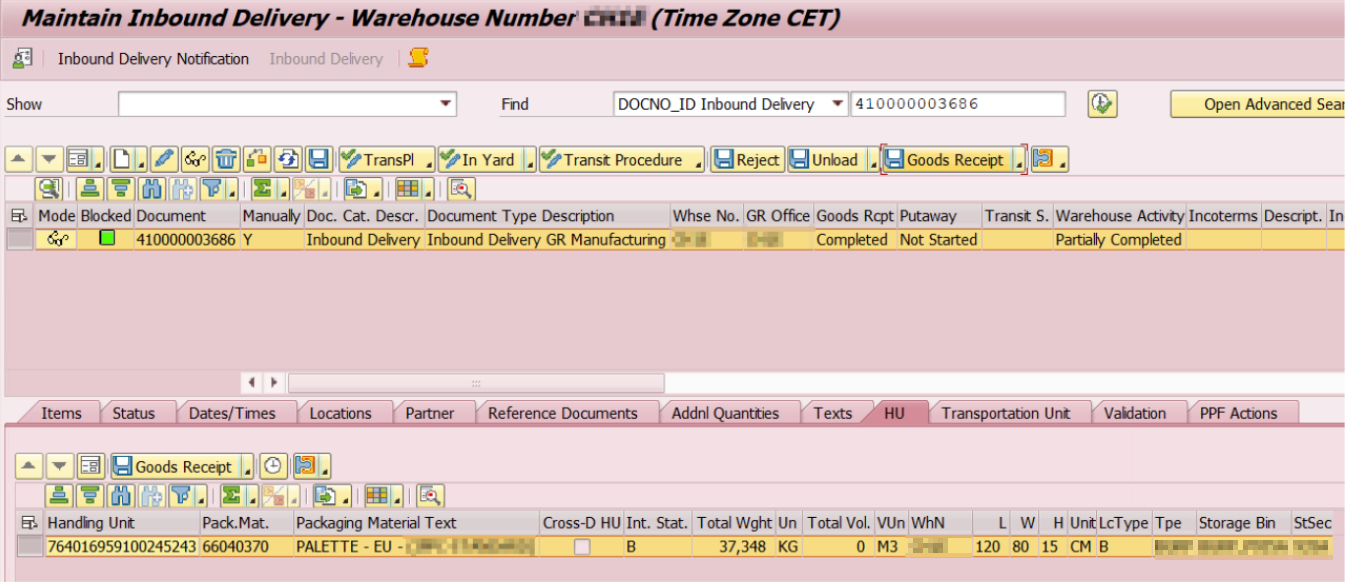
Inbound del overview via TX: /SCMW/PRDI
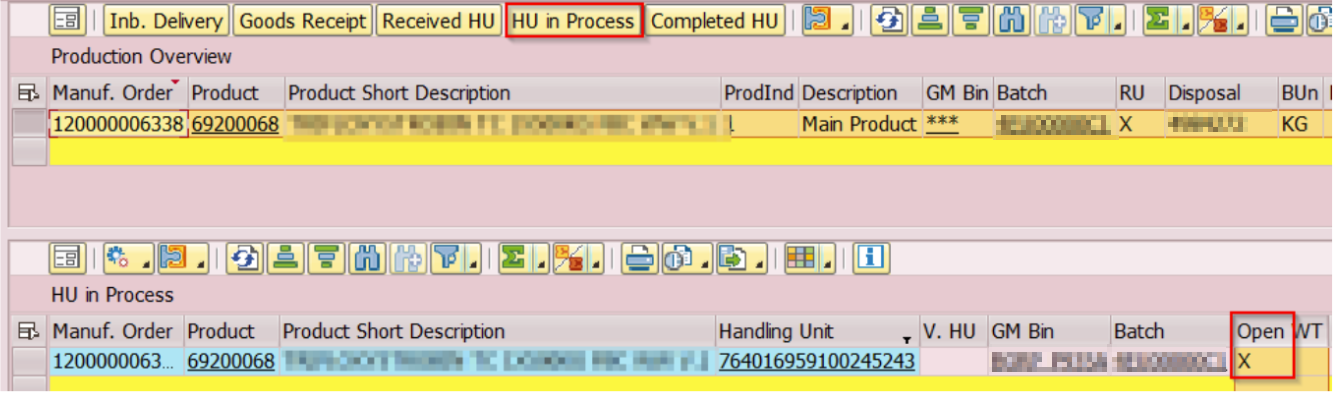
Manufacturing order overview via /SCWM/MON → Inbound→ Processes → Production overview
- If putaway not completed, then select ‘HU in progress’
- If putaway completed, then select ‘Completed HU’
Posting GR created an automatic putaway task (via PPF condition). Cancel the task before processing the HU. By cancelling the task, the putaway is not completed.
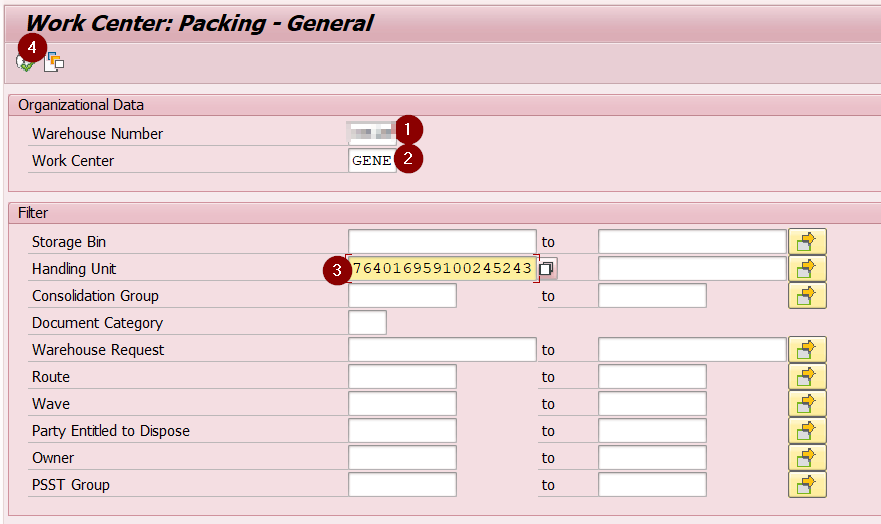
Go to pack, select the configured generic work center and enter the HU
Enter the exception code, the stock difference and execute
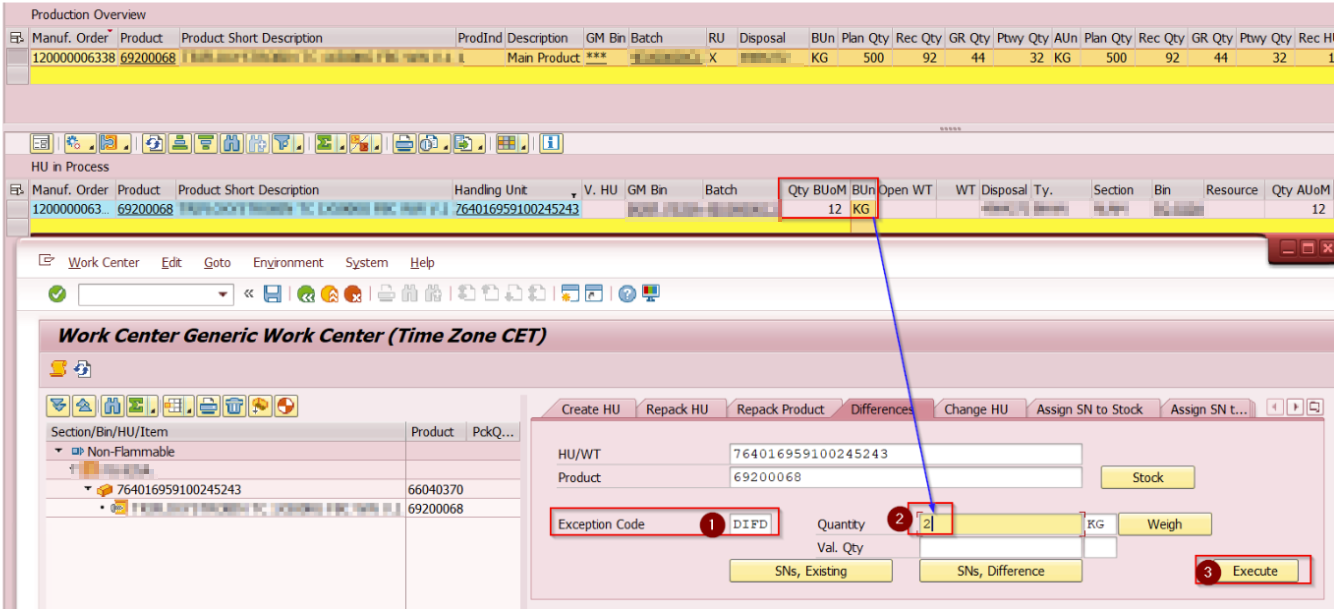
HU stock overview

We have rejected 12 kg – 2 Kg = 10 KG
P.S: Full rejection is possible by entering the entire amount i.e. 12KG and executing. In this case, one need to delete the empty HU since reversal happens at stock level and not HU
Since the putaway is not completed, check the goods issue (reversal) stock posting via the inbound delivery
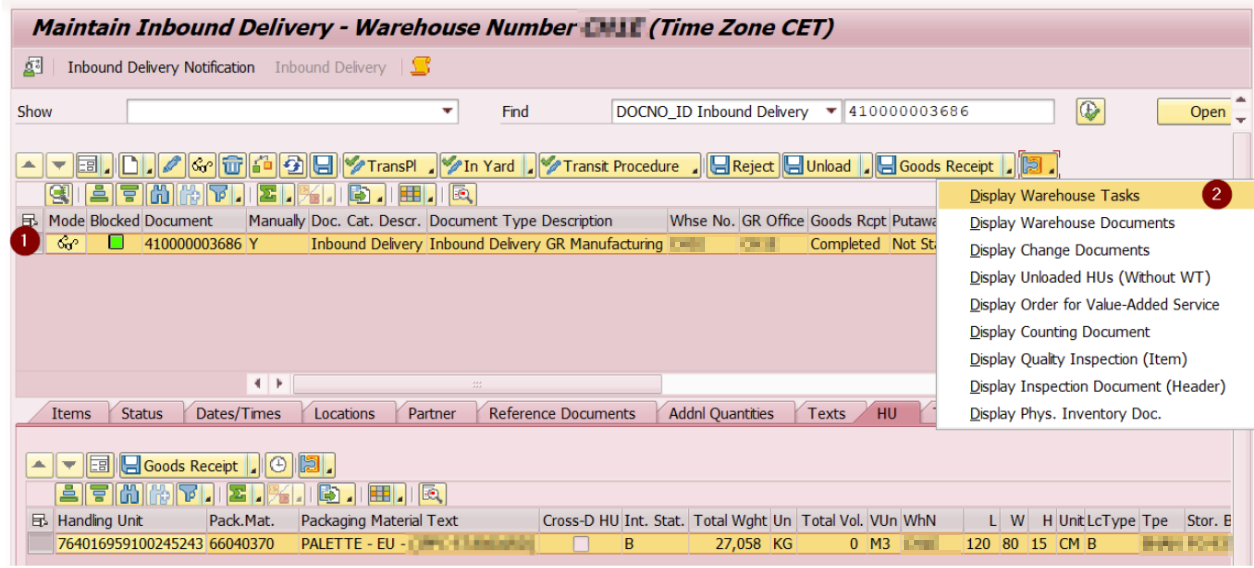
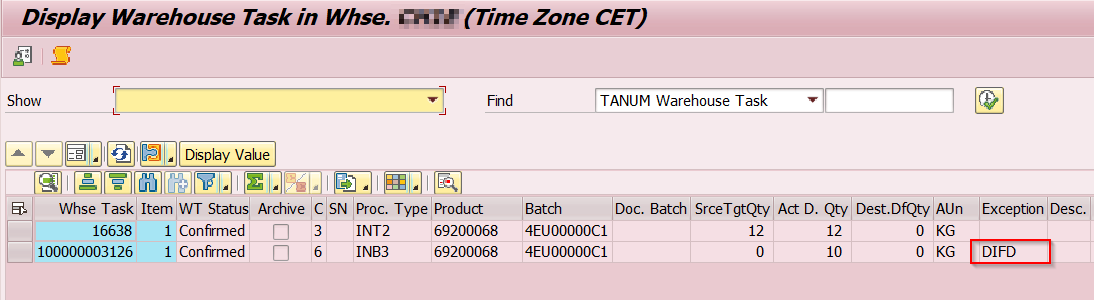
Select the warehouse task with exception code ‘DIFD’
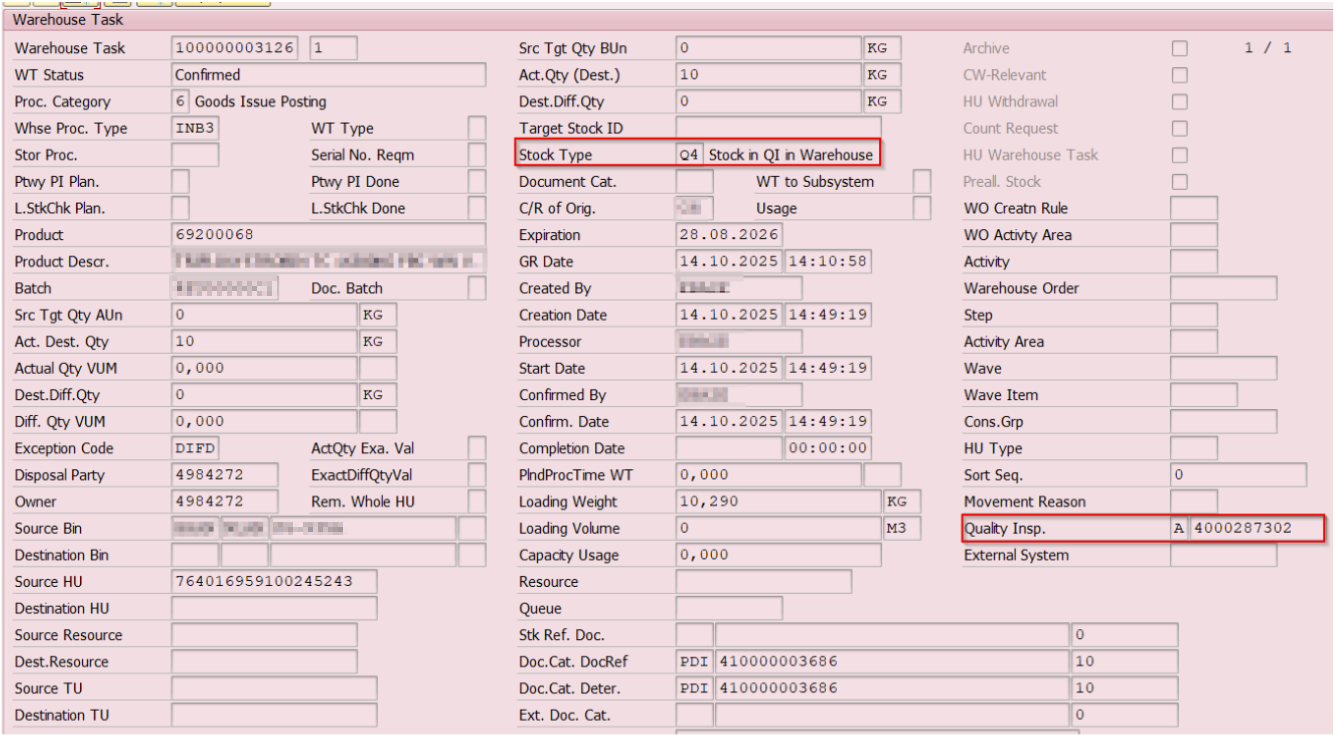
Reversal of partial stock was possible even if the quality inspection is open
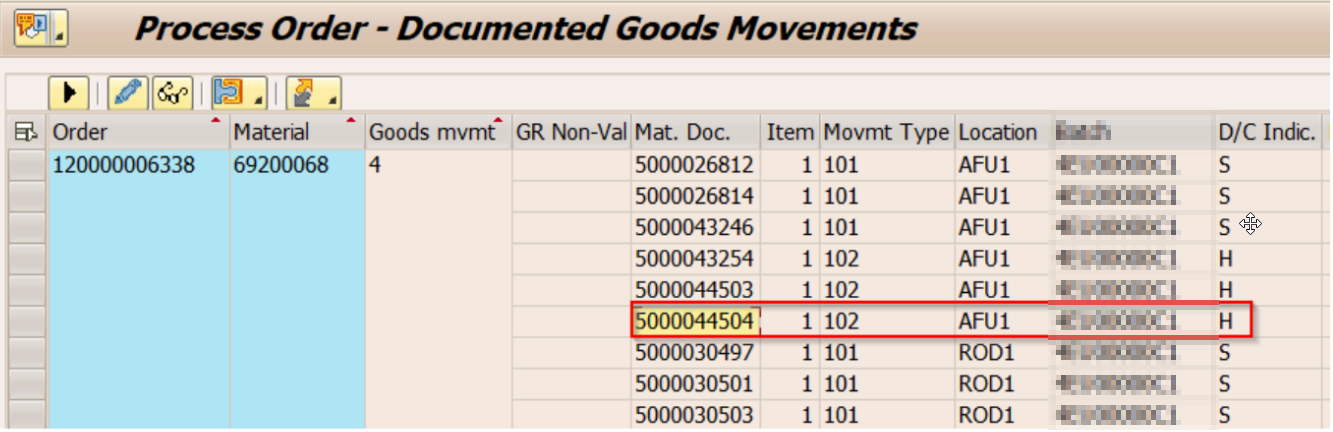
Go to S4 enter the process order 120000006338 to which the HU belong in TX: COR3
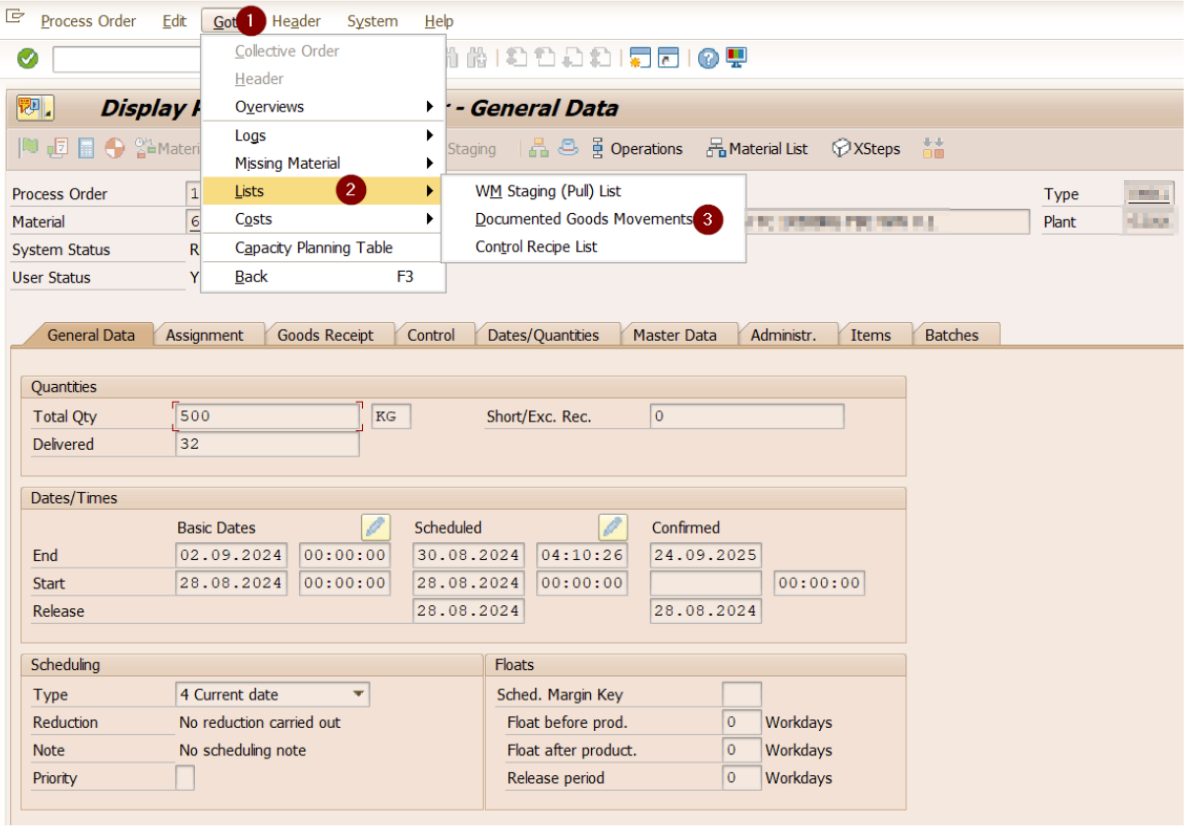
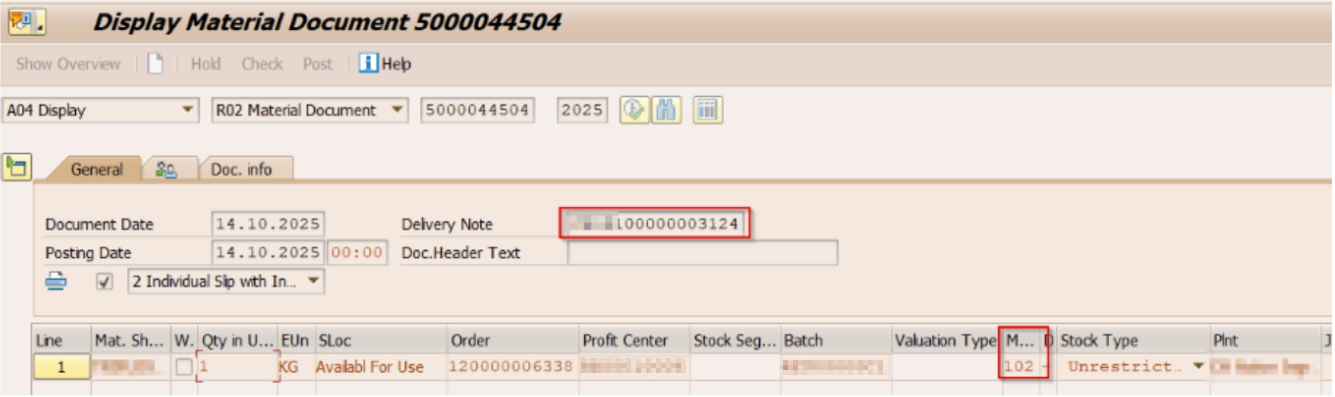
Double click on the material document where the GR reversal is recorded.
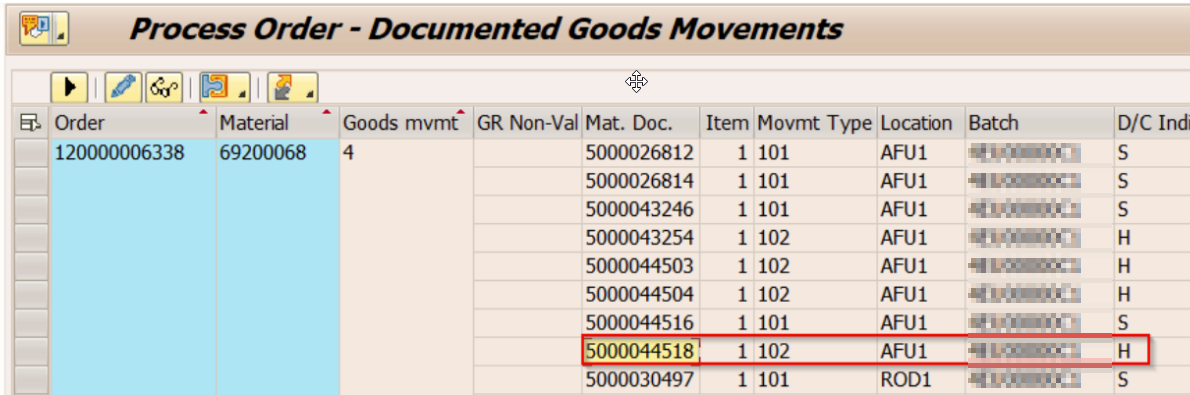
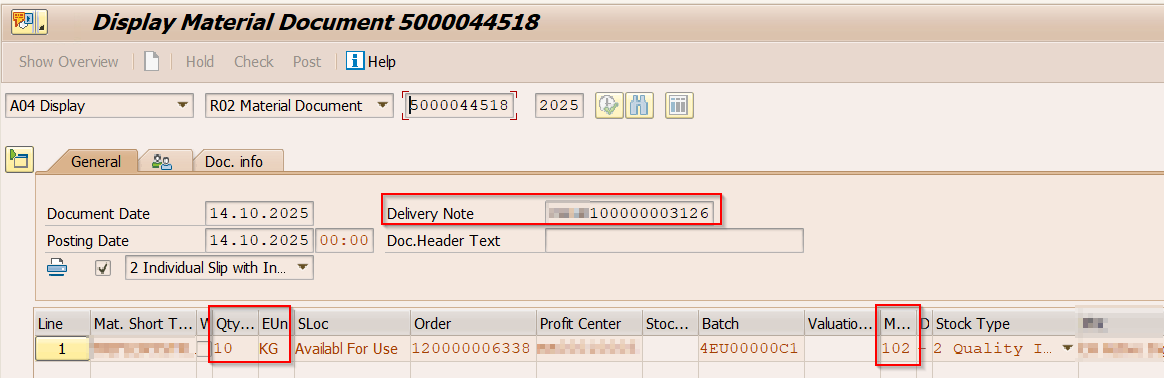
The warehouse task used for posting is seen as a delivery note reference with movement type 102
Full rejection of HU via SAP Monitor
This is only possible if you are running on SAP S/4HANA 2023 and above.
Test Data-
Manufacturing order- 120000006338
Inbound delivery (PDI) – Not applicable since putaway is completed
HU-764016959100241382
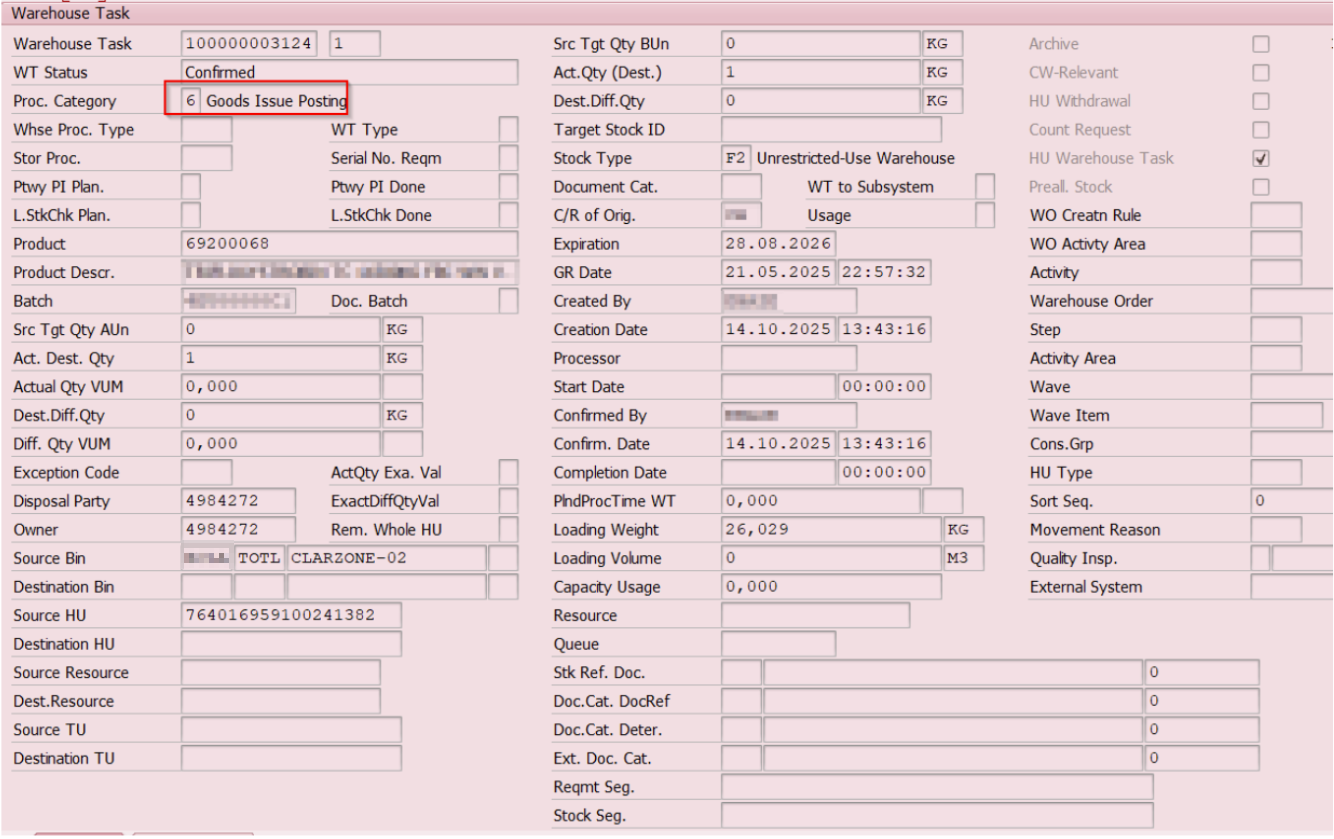
The HU ‘764016959100241382’ is putaway completed with stock type ‘F2’ having no stock reference.
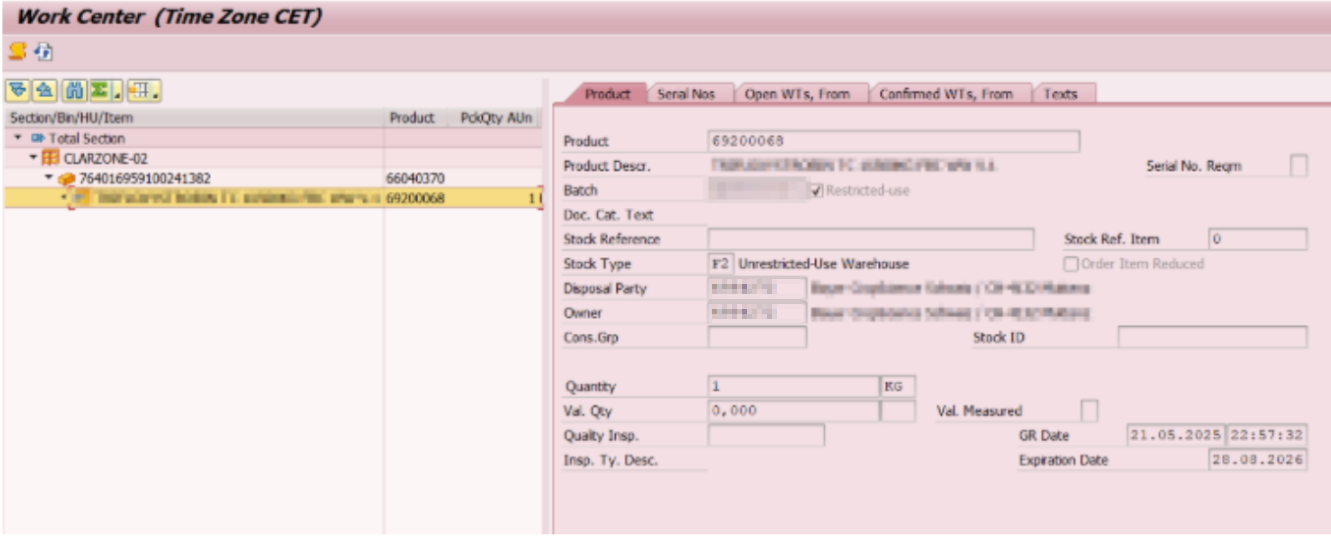
Go to the monitor, follow the path and then enter the manufacturing order to select the HU to be reversed. If putaway completed, then select ‘Completed HU’
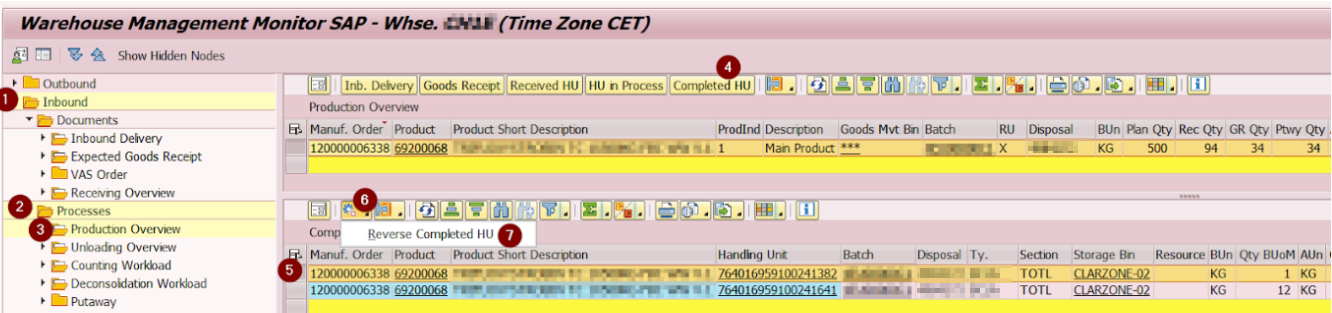
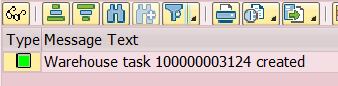
The system to create a goods issue posting warehouse task 100000003124
Go to S4 enter the process order 120000006338 to which the HU belong in TX: COR3
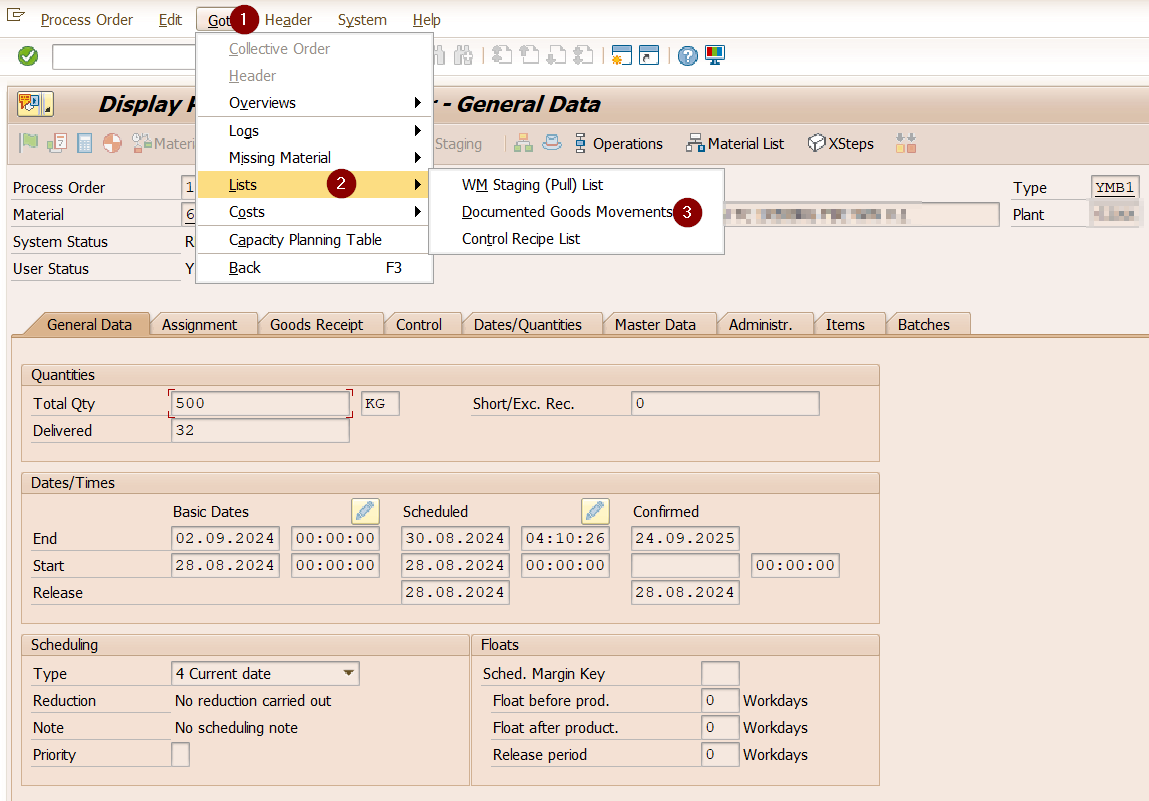
Double click on the material document where the GR reversal is recorded.
The warehouse task used for posting is seen as a delivery note reference.